For iOS & Android launches
App Store screenshots,
minus the pain.
Pick a ready-made layout, drop your screenshots in, and export the whole listing - panoramic, localized, correctly sized. No designer, no Figma.
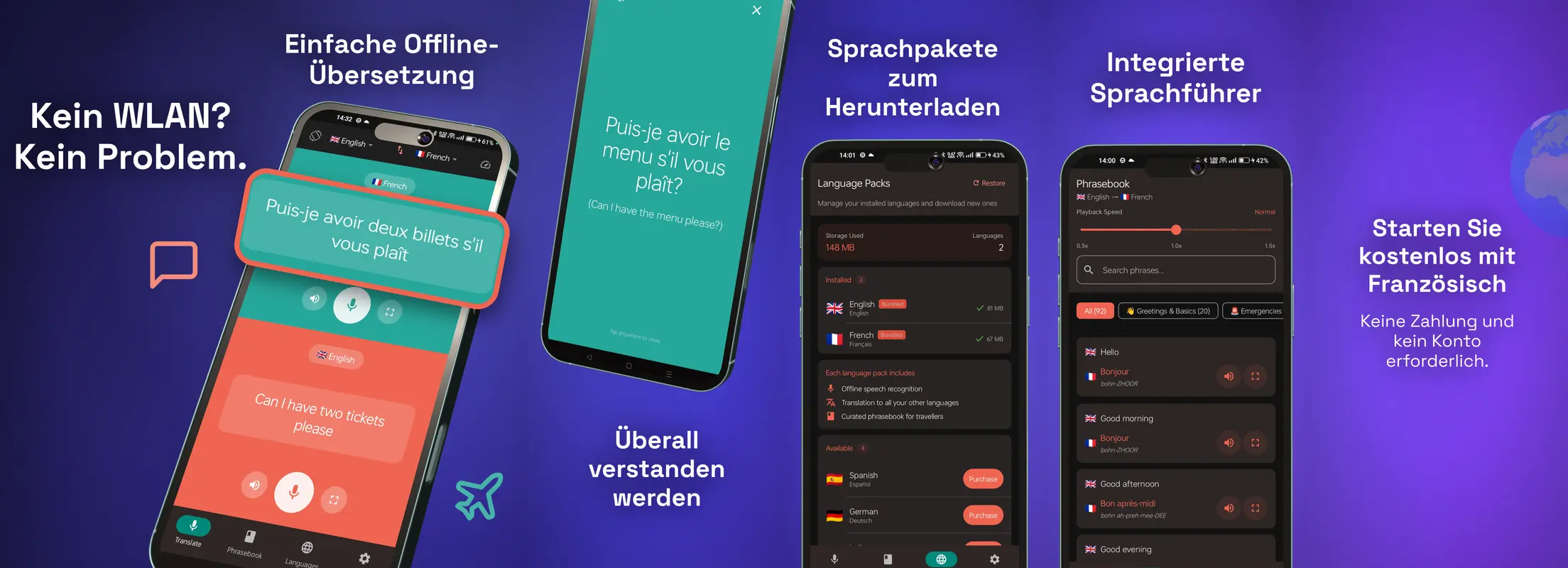
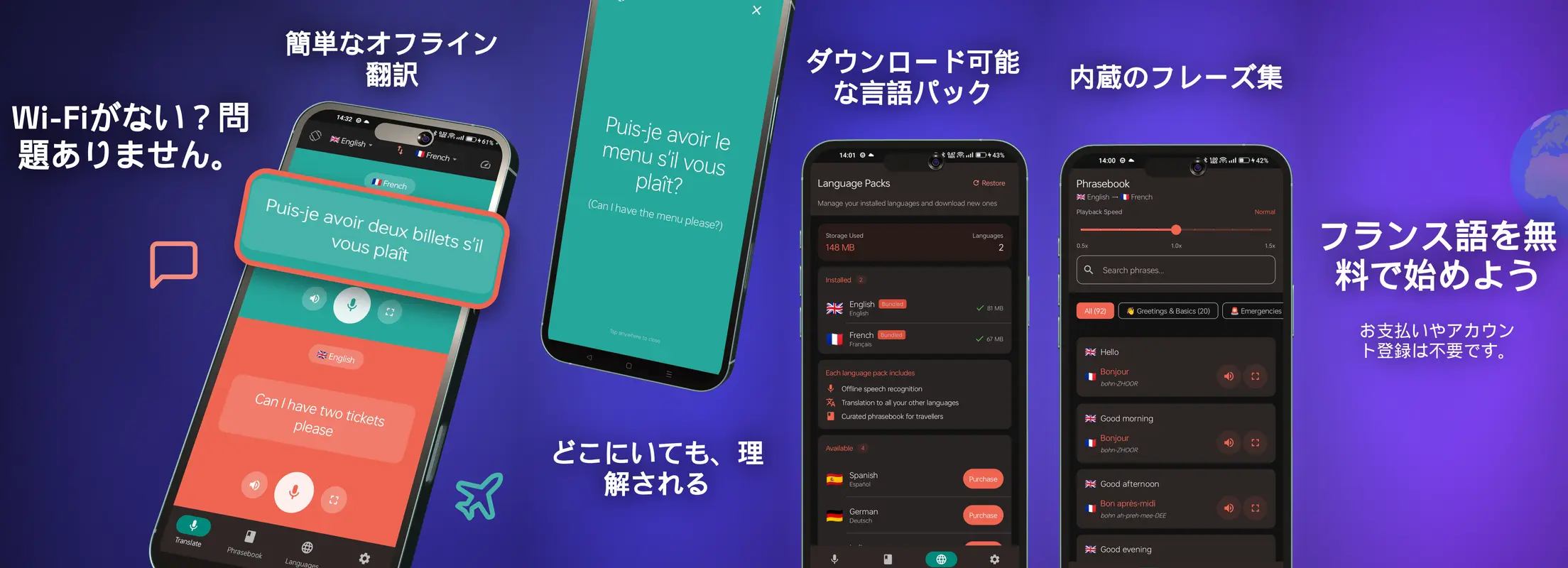
Showcase
Made in ScreenshotPop
Complete store sets - composed, localized and sliced in the editor.
Panoramic sets
The layout top-grossing apps use
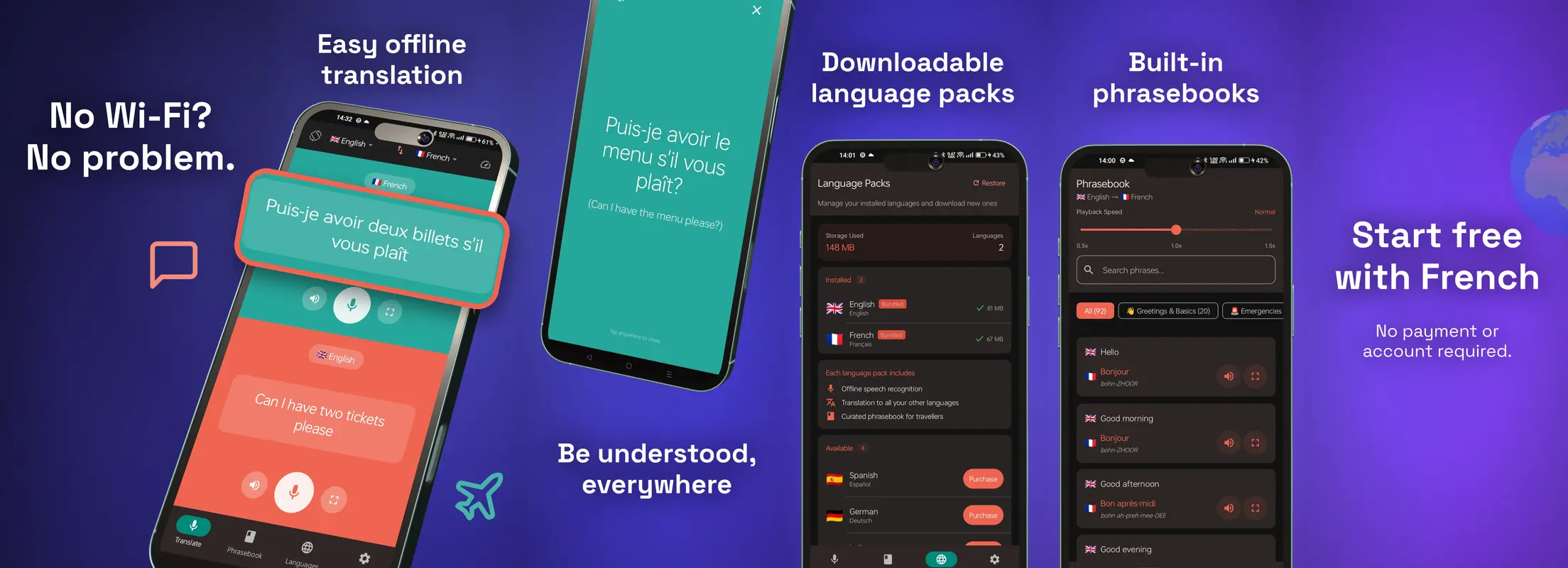
Design across all your screenshots at once: stretch a scene, a headline or a phone across panel boundaries. On export the strip slices into separate store-ready files automatically - pixel-exact, no cropping by hand.
Up to six panels per set. Add, reorder and remove panels on the canvas.
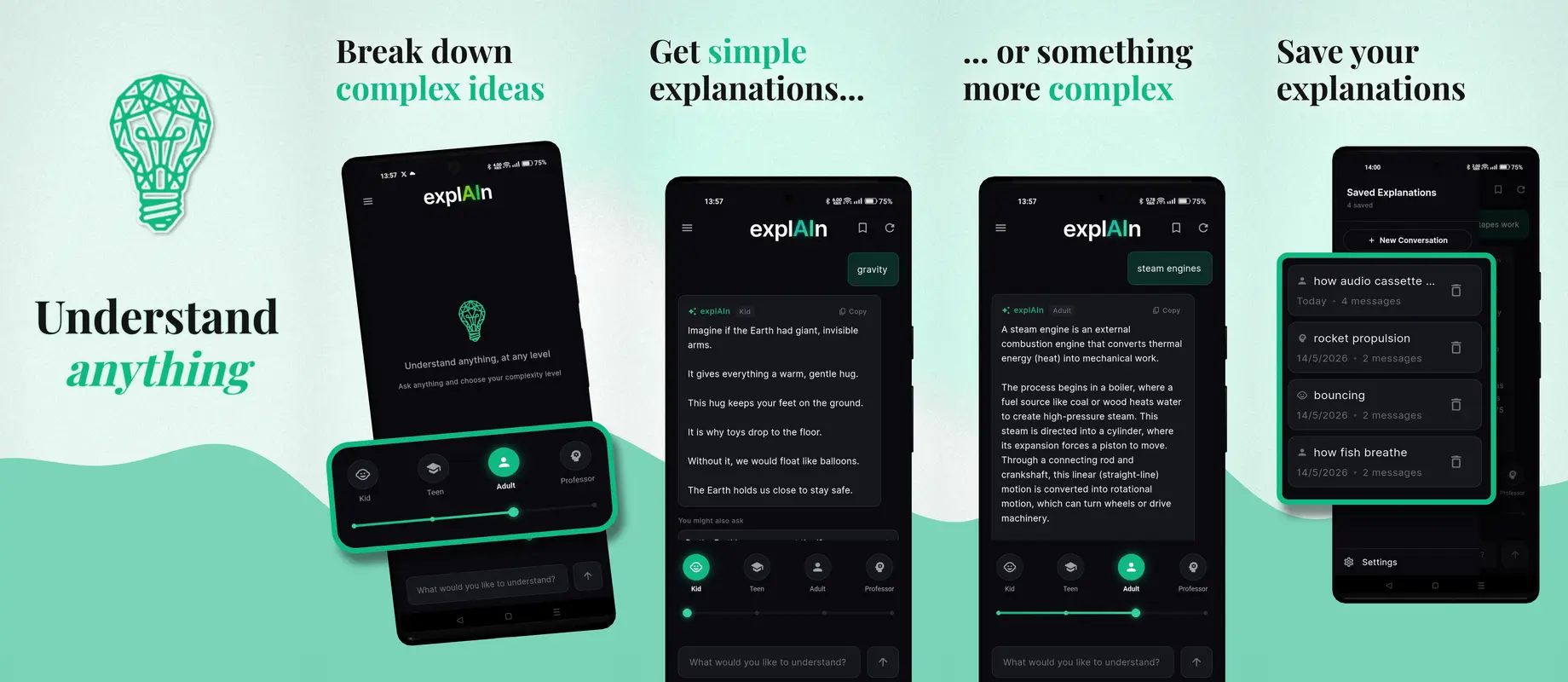
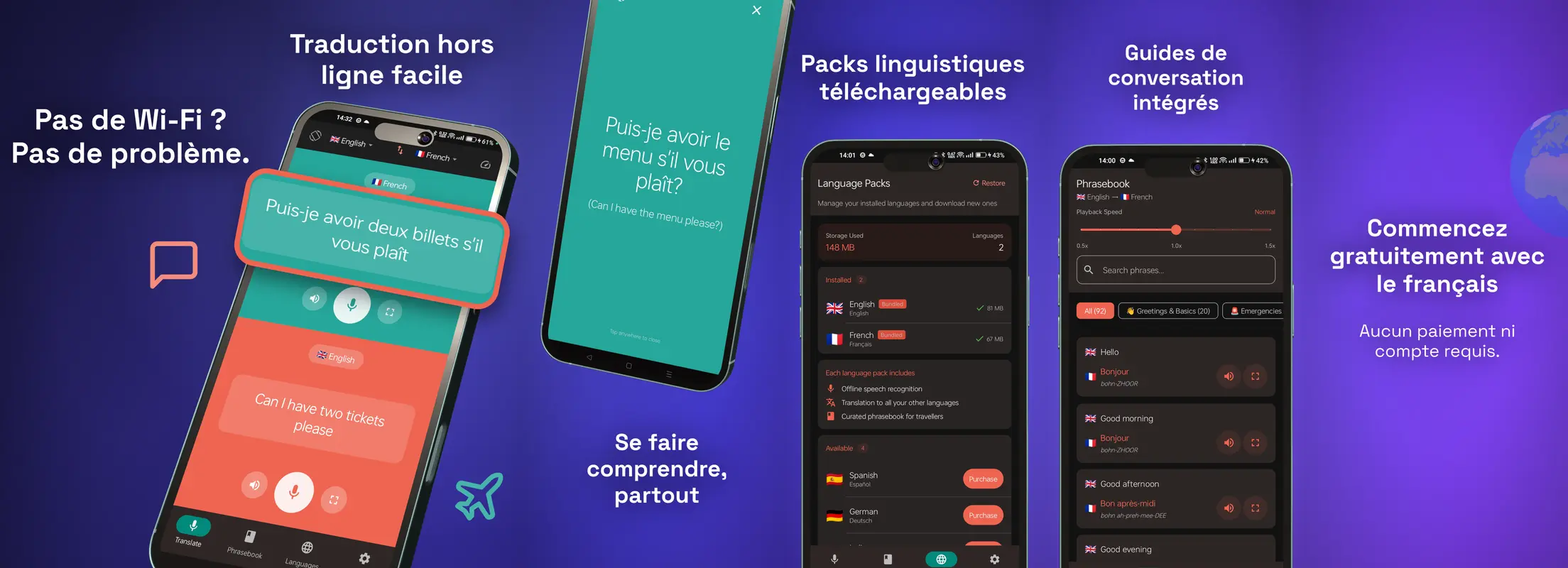
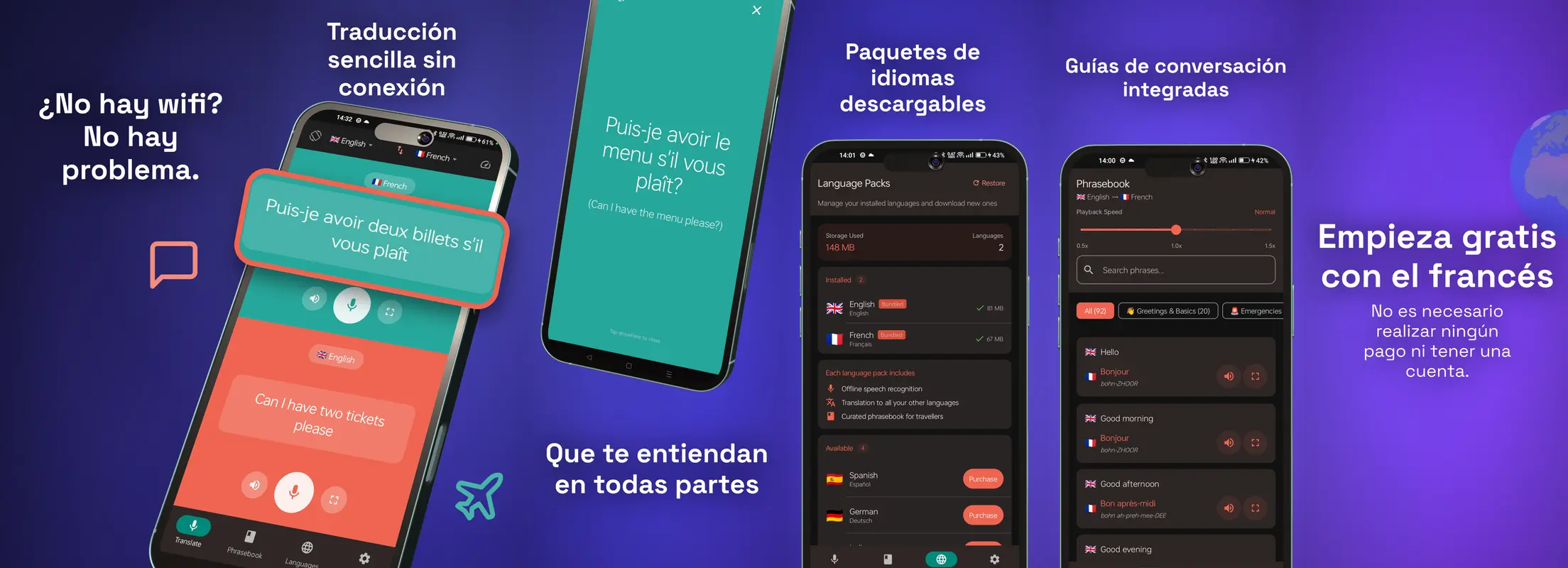
A real exported set for explAIn

screenshotpop-languages.zip
├─ 🇬🇧 en/
screenshot-1.png · screenshot-2.png · …
├─ 🇪🇸 es/
screenshot-1.png · screenshot-2.png · …
├─ 🇩🇪 de/
screenshot-1.png · screenshot-2.png · …
├─ 🇯🇵 ja/
screenshot-1.png · screenshot-2.png · …
Localization
Every locale, one click
Add a language and AI translates your labels in place - same layout, same design, native copy. Export bundles a folder per locale so the whole set uploads straight to App Store Connect or the Play Console.
Localized store pages convert measurably better. Nobody does them because it's tedious. It isn't anymore.
Store compliance
Always the right size
Every export lands at the exact pixel dimensions the stores require - including the iPhone 6.9″ size that becomes mandatory in 2026. Pick the preset, never resize, never get rejected for the wrong resolution.
iPhone, iPad and Play Store presets, portrait and landscape.
3D phone mockups
Your screenshot, on a real 3D phone
Wrap any screen onto a true 3D iPhone or Pixel, then tilt it, light it and spin it. Every angle stays pixel-sharp because it's a real model - not a flat sticker on a photo.
Freeze a frame for your store set, or export the spin as a video for your App Preview and launch posts.
Also in the box
Animated highlights
Select any area of a screenshot or recording and animate attention onto it. Export GIF, MP4 or WebM for launch posts.
AI scene suggestions
Drop a screenshot in and let AI compose the background, layout and headline. Hit ‘Try another’ for a fresh take.
Effects & gradients
Mesh gradients, sparkles, confetti, energy pulses - adjustable from subtle to loud, on stills and video alike.
Get started
How it works
Upload your screens
Drag in raw app screenshots - straight from the simulator or a device.
Compose across panels
Pick a layout, add phones, headlines and effects. Bleed elements across panels for the panoramic look.
Export store-ready
One click renders every panel, size and language into upload-ready files.
Testimonials
What people are saying
From people who shipped a store listing with it.
What a great simple and useful tool. And this for a one time payment. Very rare in these times
Pricing
Simple, one-time pricing
Pay once, use forever. Less than ten minutes of a designer's time.
Lifetime access - no subscription, ever.
- Panoramic App Store & Play Store sets
- Every store size - incl. iPhone 6.9″ (2026)
- AI-localized labels, exported per language
- Animated highlights - GIF, MP4 & WebM
- 3D phone mockups (iPhone & Pixel)
- Gradient backgrounds, effects & AI scenes
- No watermark · unlimited exports · 1080p
- Lifetime updates included
30-day money-back guarantee. No questions asked.
Questions
Frequently asked questions
Which sizes can I export?
What's a panoramic set?
How does localization work?
Do I need design skills?
Can I still make social posts and animated highlights?
Is it a subscription?
Your store page is your first impression.
Make it look designed - first export is free.
Start from a template